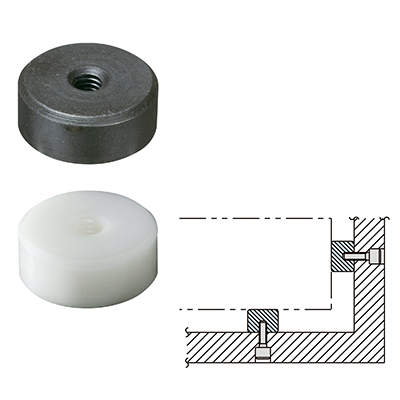
REST PADS
CAD Data
CAD downloading is available only on PC.
|
|
SRP-080 | DXF DWG SOLIDWORKS IGES Parasolid STEP |
|
|
SRP-100 | DXF DWG SOLIDWORKS IGES Parasolid STEP |
|
|
SRP-120 | DXF DWG SOLIDWORKS IGES Parasolid STEP |
|
|
SRP-122 | DXF DWG SOLIDWORKS IGES Parasolid STEP |
|
|
SRP-160 | DXF DWG SOLIDWORKS IGES Parasolid STEP |
|
|
SRP-200 | DXF DWG SOLIDWORKS IGES Parasolid STEP |
|
|
SRP-250 | DXF DWG SOLIDWORKS IGES Parasolid STEP |
|
|
DRP-080 | DXF DWG SOLIDWORKS IGES Parasolid STEP |
|
|
DRP-100 | DXF DWG SOLIDWORKS IGES Parasolid STEP |
|
|
DRP-120 | DXF DWG SOLIDWORKS IGES Parasolid STEP |
|
|
DRP-122 | DXF DWG SOLIDWORKS IGES Parasolid STEP |
|
|
DRP-160 | DXF DWG SOLIDWORKS IGES Parasolid STEP |
|
|
DRP-250 | DXF DWG SOLIDWORKS IGES Parasolid STEP |
|
|
DRP-200 | DXF DWG SOLIDWORKS IGES Parasolid STEP |
Imao CAD Downloading Service
Troubleshooting Tip
If you can not download a CAD drawing after clicking a download link(the drawing appears on the screen or an error message is displayed), get a menu opened right-clicking the download link and then choose "Save Target As" from the menu.